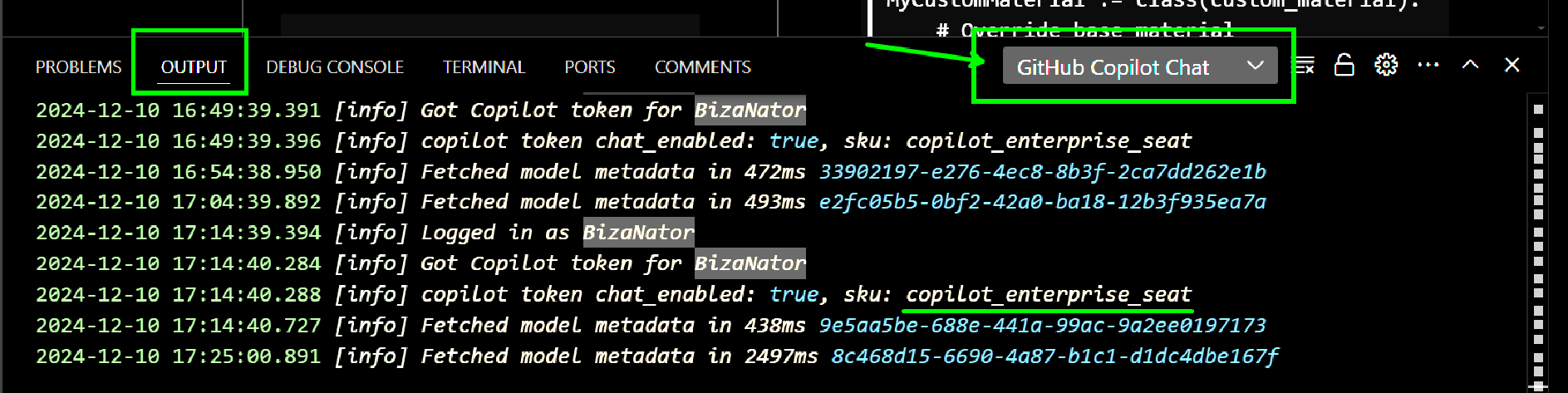
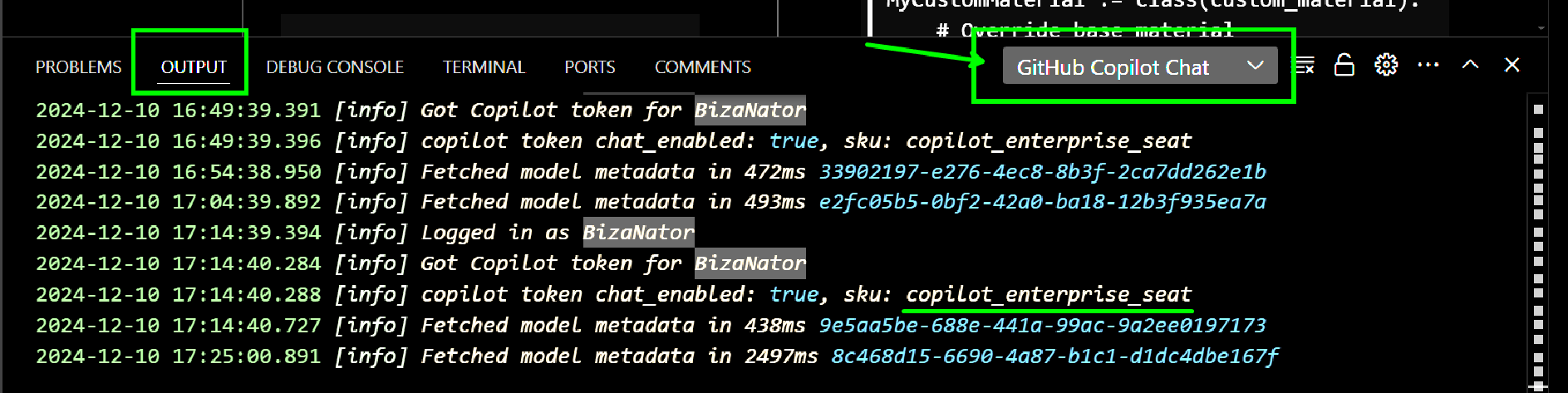
Github Copilot Enterprise Setup
Github Copilot Enterprise Setup
Fianlly got access to github copilot enterprise so going through getting it setup and configured.
If you don't already have Github Copilot installed you'll want to add the extensions:
Name: GitHub Copilot Chat Id: GitHub.copilot-chat Description: AI chat features powered by Copilot Version: 0.22.4 Publisher: GitHub VS Marketplace Link: https://marketplace.visualstudio.com/items?itemName=GitHub.copilot-chat
Name: GitHub Copilot Id: GitHub.copilot Description: Your AI pair programmer Version: 1.249.0 Publisher: GitHub VS Marketplace Link: https://marketplace.visualstudio.com/items?itemName=GitHub.copilot
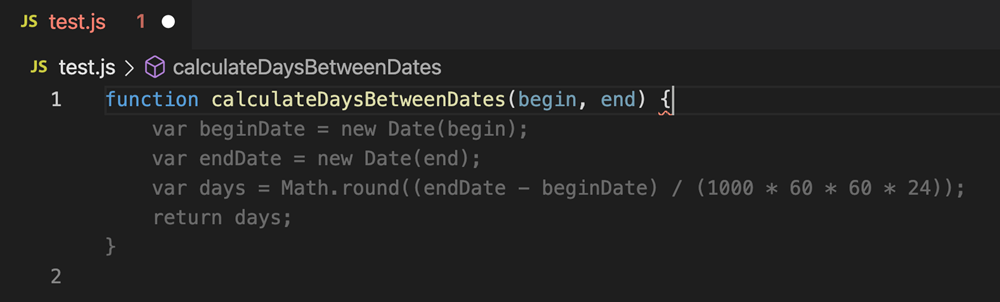
Code completions
GitHub Copilot provides autocomplete-style suggestions from an AI pair programmer as you code. Just start writing your code in the editor and Copilot provides you with relevant suggestions. Need something specific? Add a natural language code comment to give directions to Copilot about what you want.
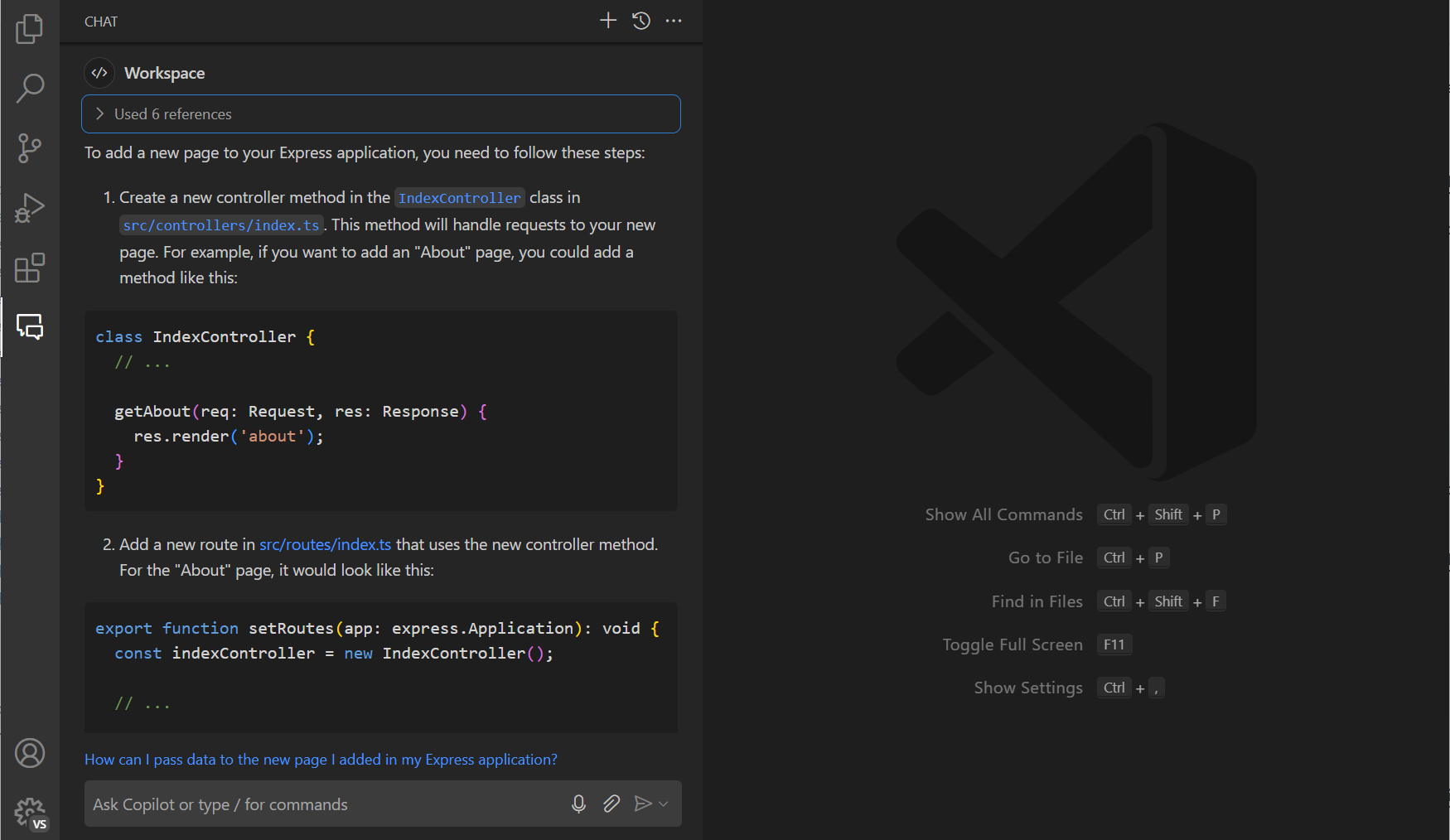
Chat
Sometimes you just want to ask a question. Whether you're troubleshooting a bug or crafting a new feature, GitHub Copilot is here to assist when you encounter challenges – simply ask for guidance via chat.
Ask Copilot for help with any task or question in the Chat view, bringing in code from your current files. Copilot is not just a search engine. Rather than giving you a generic answer, it can give answers that are relevant for your codebase.
Apply Copilot's AI suggestions directly to your code, staying in the flow. Need help with refactoring a method, adding error handling, or explaining a complex algorithm? Just launch Copilot in the editor!
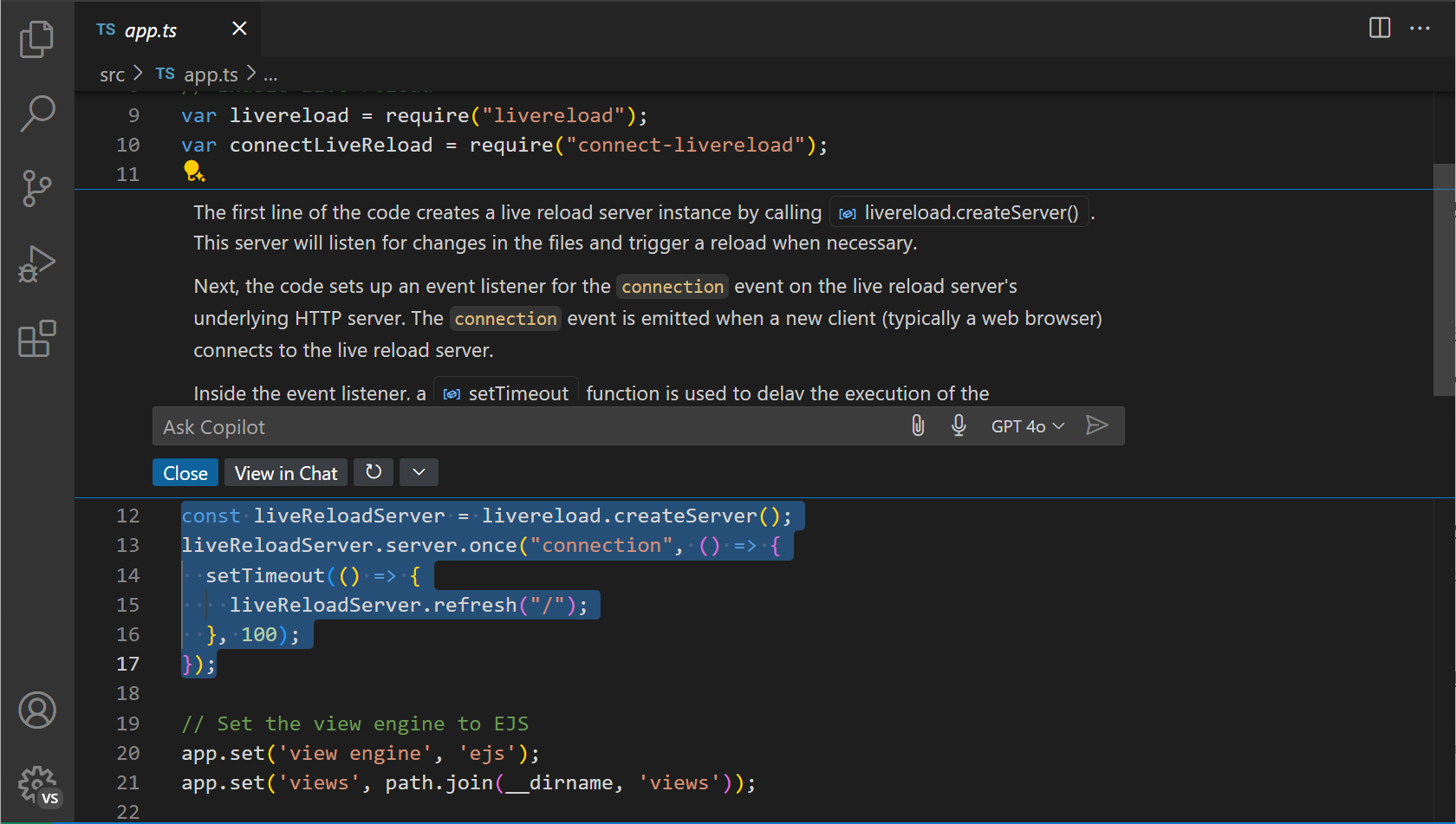
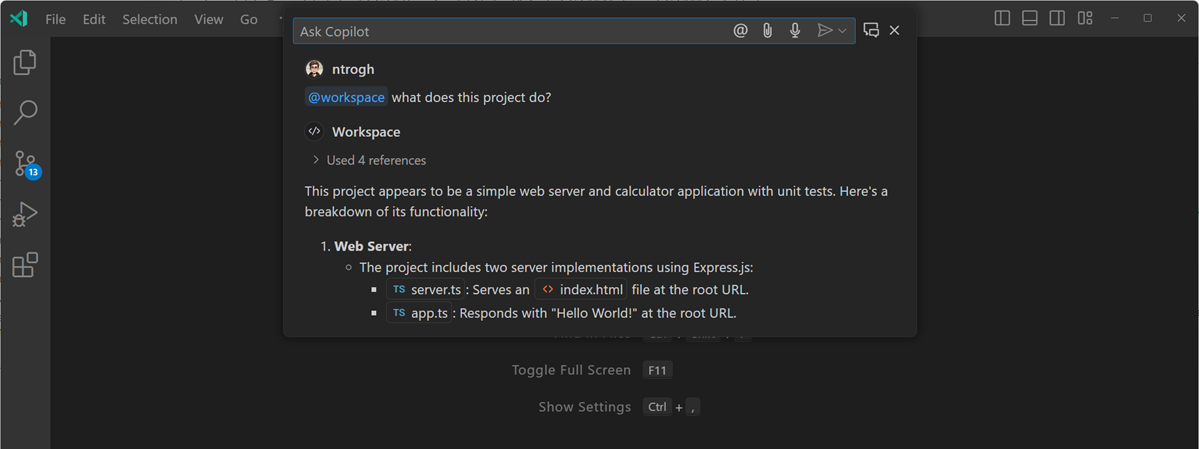
Do you just want to ask a quick question and immediately get back in the action? Open Quick Chat with the Chat: Open Quick Chat command , or use the Ctrl+Shift+I or Cmd+Shift+I keyboard shortcut.
Participants
Participants are experts in a particular domain, such as coding, the editor, or many other areas. You can tag them in any chat to scope your questions and get better answers.
Below are examples of using participants built into VS Code.
@workspace 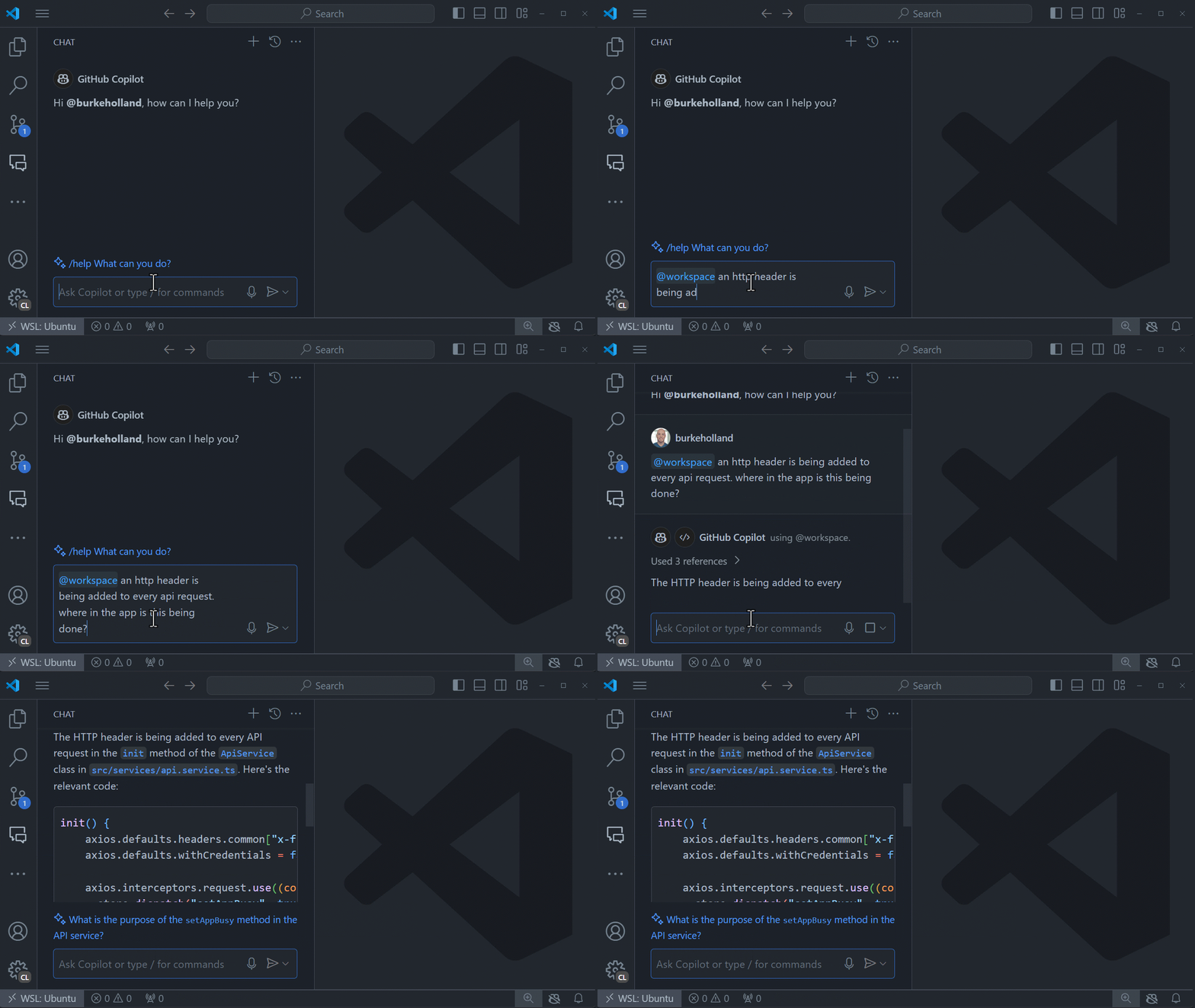
@terminal 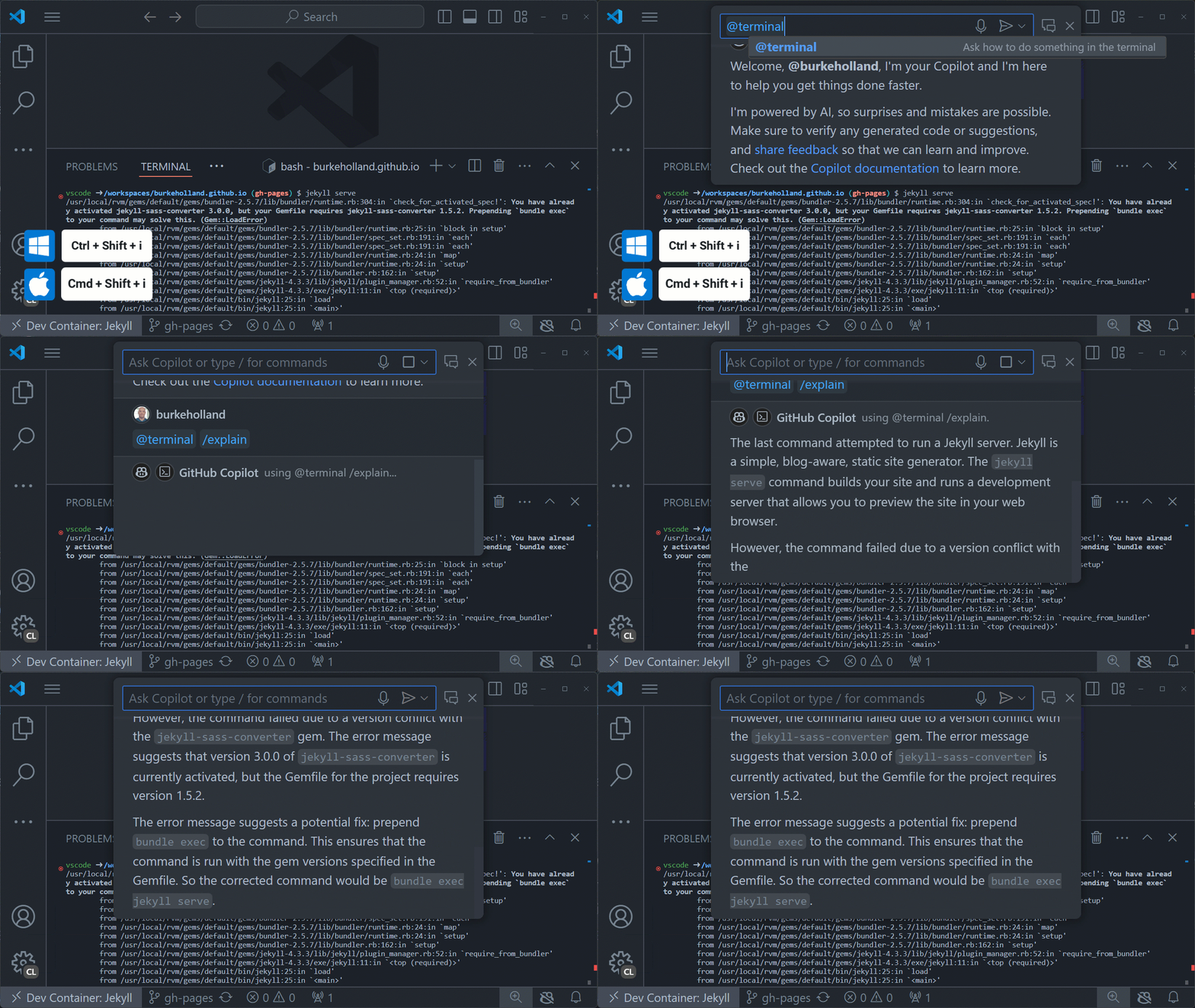
@vscode 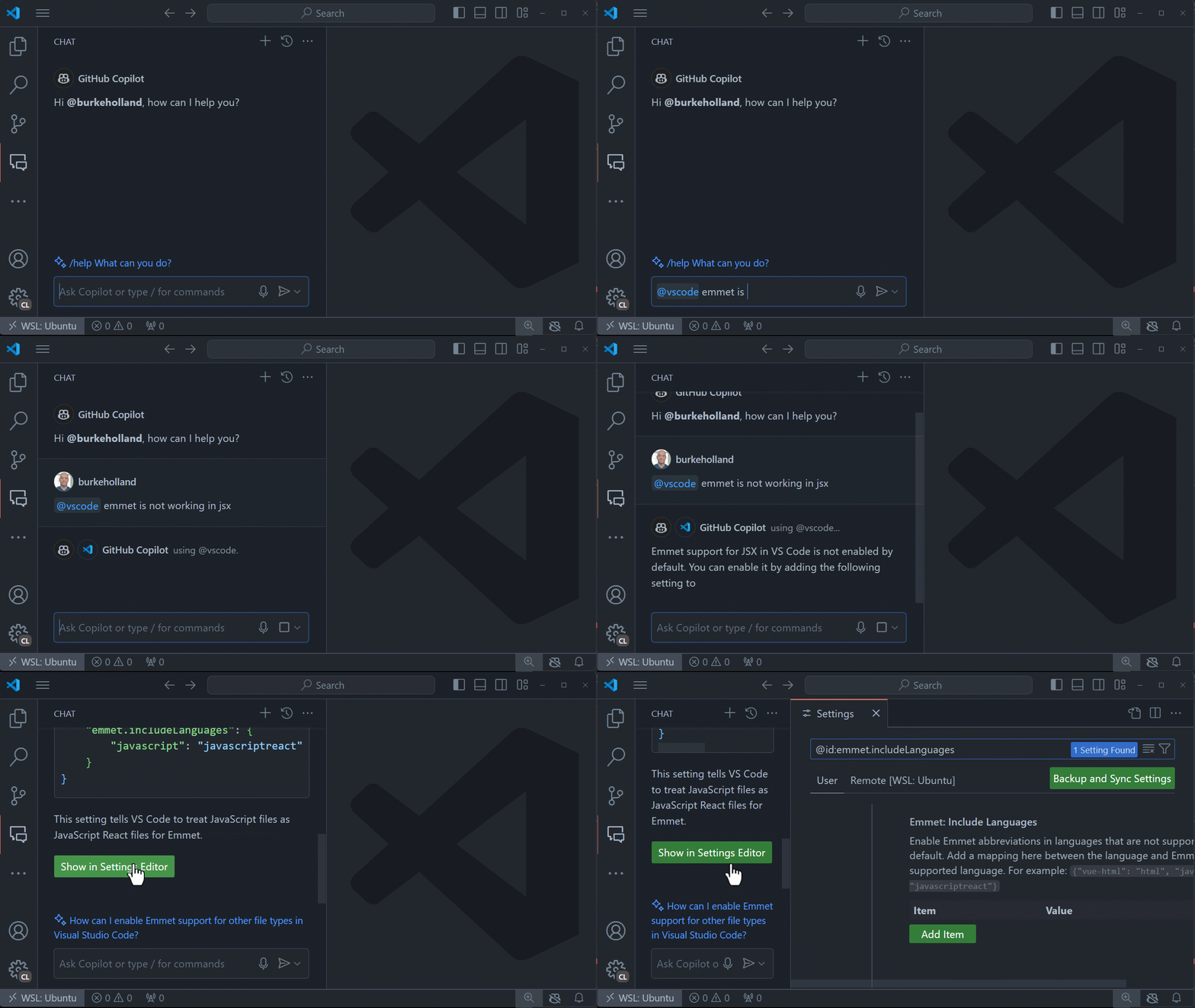
Slash commands
Chat participants can also contribute what we call slash commands, which are shortcuts to specific functionality. Slash commands give you access to meticulously crafted prompts for common coding workflows, no prompt engineering required.
Below are examples of using several slash commands.
/fix 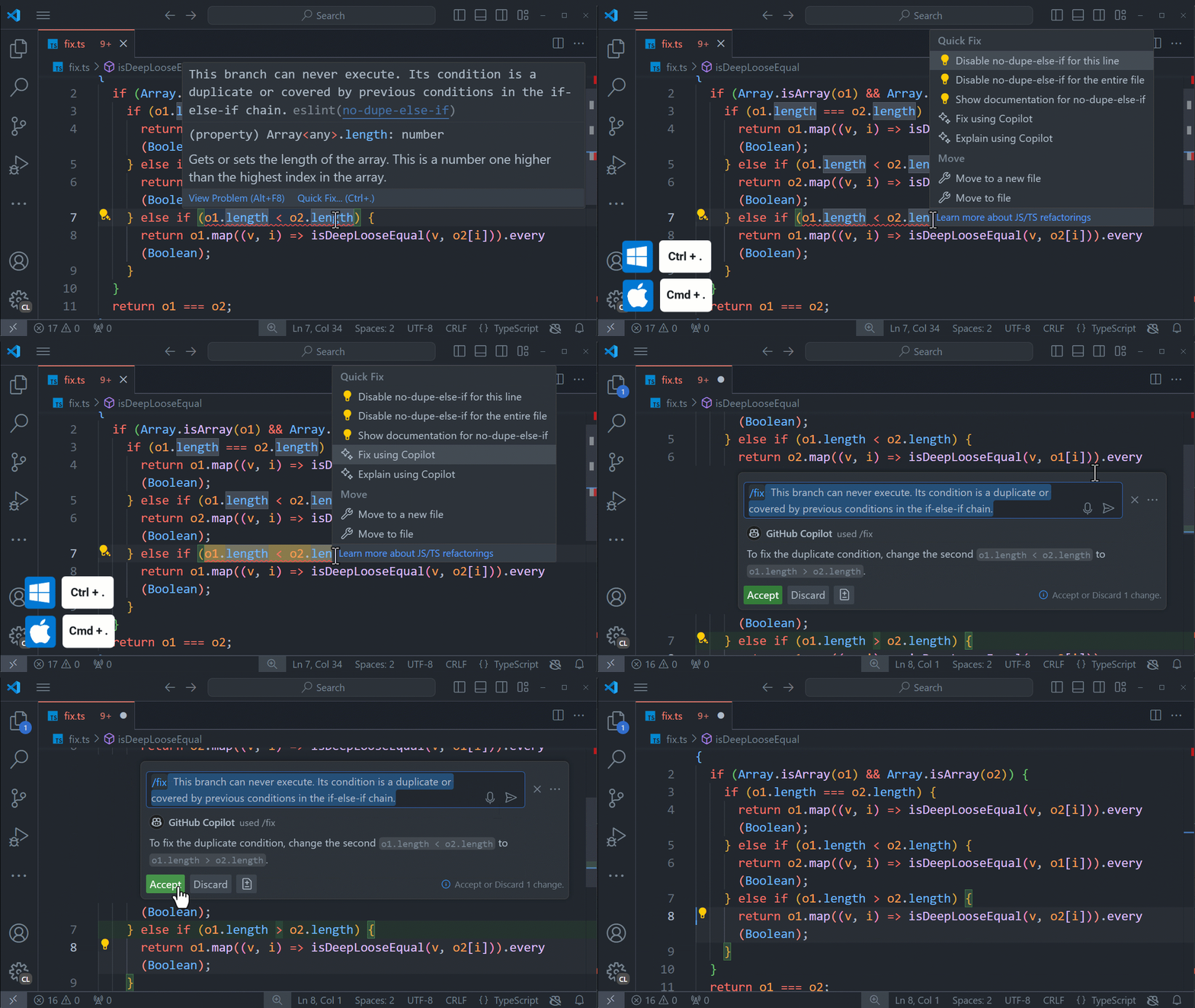
/doc 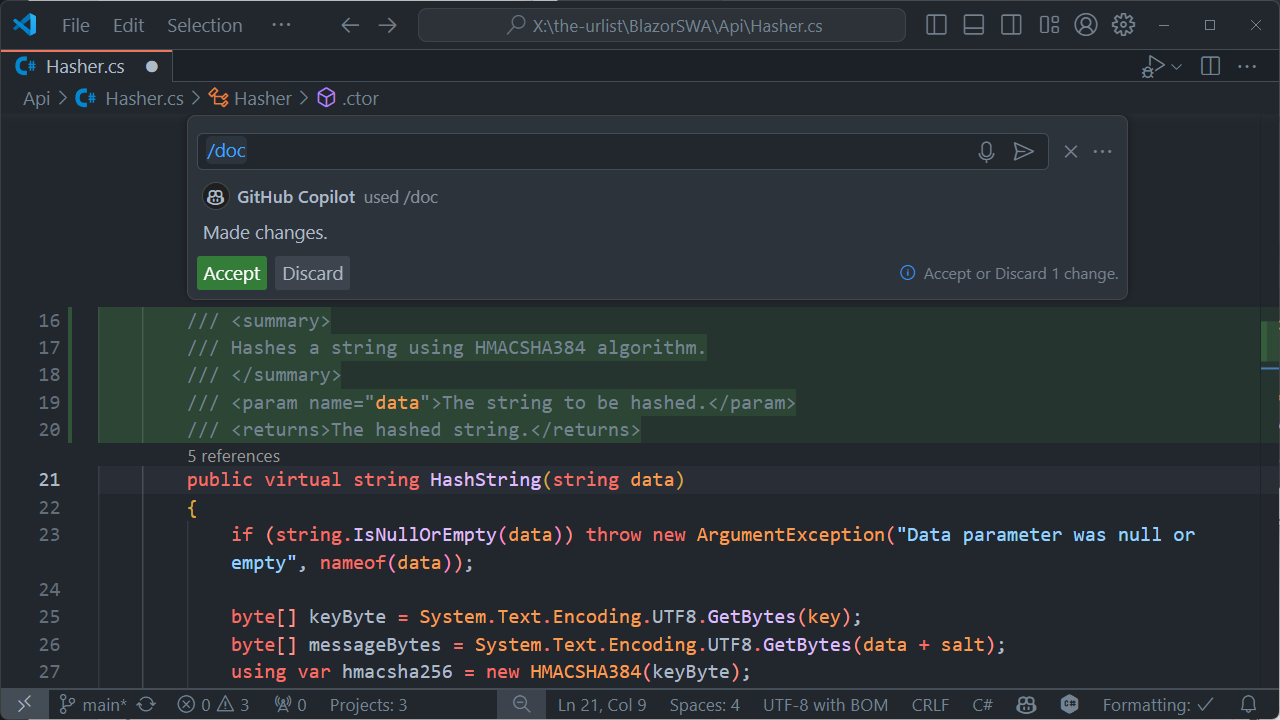
/tests 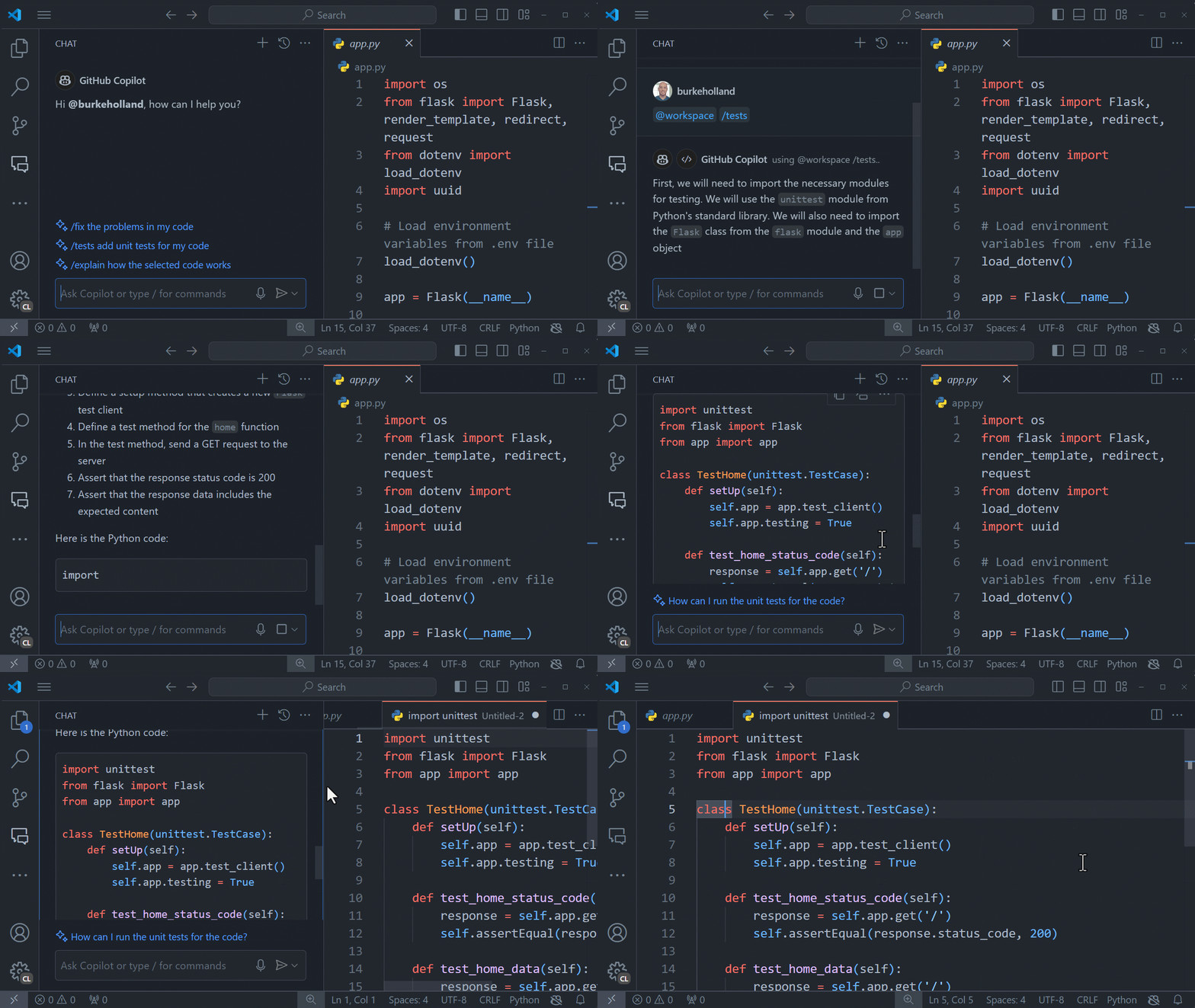
Variables
Variables enable you to reference specific information in your code, the editor, or information from other extensions. Combine these with participants to easily pass all the necessary context to Copilot.
#file 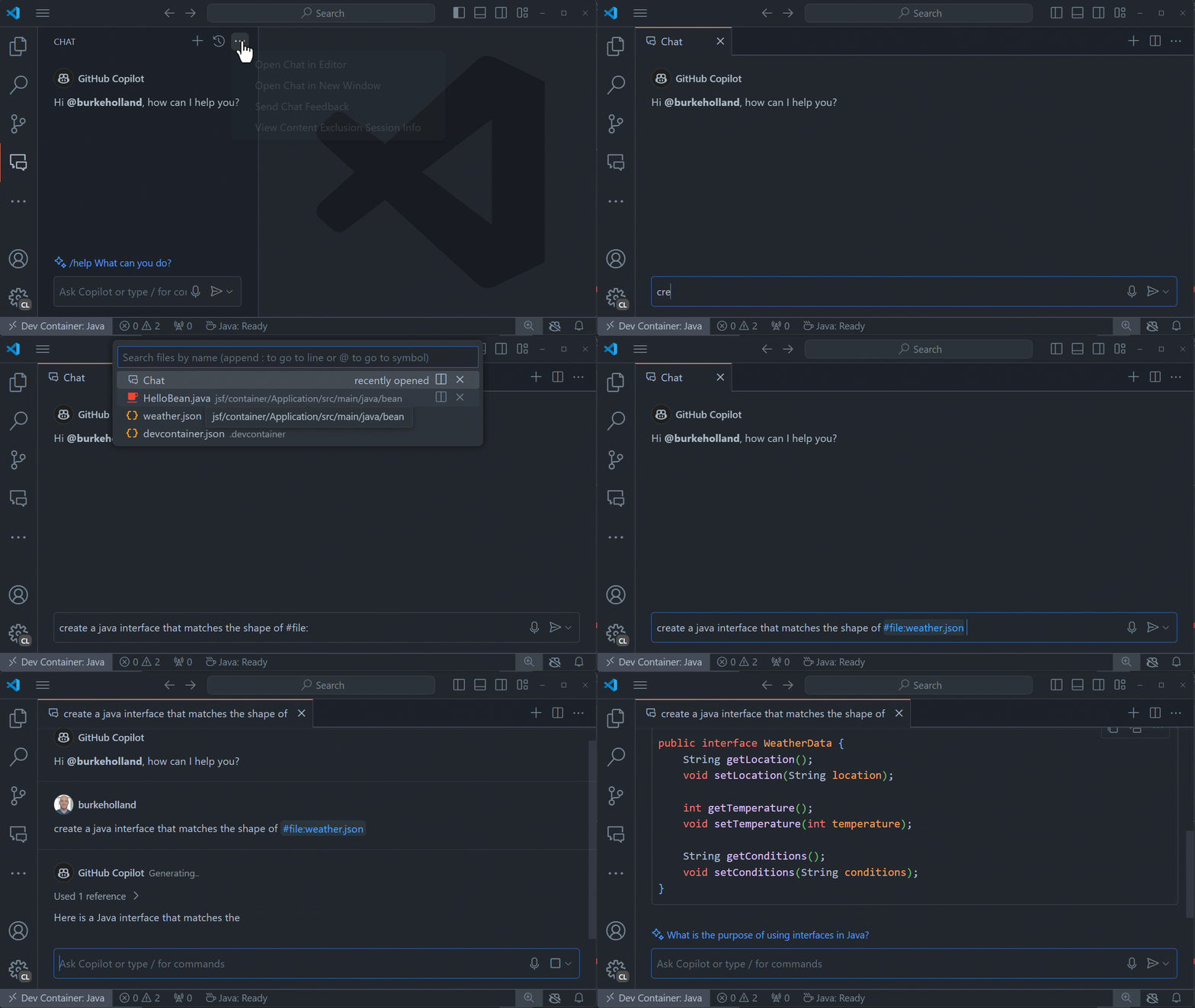
#terminalLastCommand 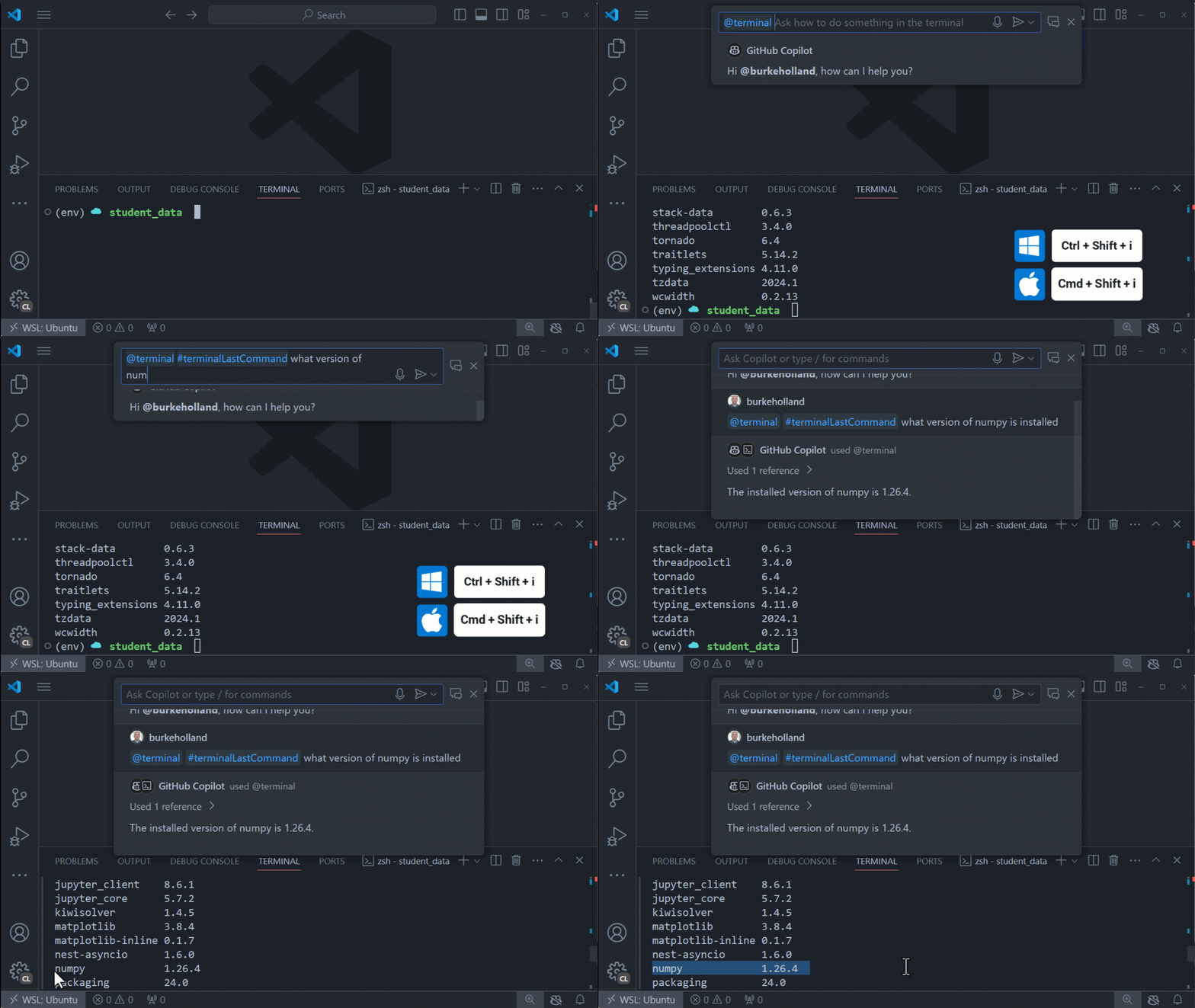
Supported languages and frameworks
GitHub Copilot works on any language, including Java, PHP, Python, JavaScript, Ruby, Go, C#, or C++. Because it��s been trained on languages in public repositories, it works for most popular languages, libraries and frameworks.
Version compatibility
As Copilot Chat releases in lockstep with VS Code due to its deep UI integration, every new version of Copilot Chat is only compatible with the latest and newest release of VS Code. This means that if you are using an older version of VS Code, you will not be able to use the latest Copilot Chat.
Only the latest Copilot Chat versions will use the latest models provided by the Copilot service, as even minor model upgrades require prompt changes and fixes in the extension. An older version of Copilot Chat will still use the latest version of Copilot completions.
Commands for CoPilot Extension
All of these settings and Commands can be found inside the Extension Settings.
In order to open and use these you'll need to access the VS Code Parameter menu, hold CTRL + SHIFT + P
| ID | Title | Keyboard Shortcuts | Menu Contexts |
| :----------------------------------------- | :---------------------------------------- | :----------------- | :-------------------------------------------------- |
| editor.action.inlineSuggest.trigger | | Alt+\ | |
| github.copilot.acceptCursorPanelSolution | Accept panel suggestion at the cursor | Ctrl+/ | commandPalette |
| github.copilot.collectDiagnostics | Collect Diagnostics | | commandPalette |
| github.copilot.generate | Open Completions Panel | Ctrl+Enter | commandPalette editor/inlineCompletions/actions |
| github.copilot.nextPanelSolution | Navigate to the next panel suggestion | Alt+] | commandPalette |
| github.copilot.openLogs | Open Logs | | commandPalette |
| github.copilot.previousPanelSolution | Navigate to the previous panel suggestion | Alt+[ | commandPalette |
| github.copilot.sendFeedback | Send Feedback | | commandPalette |
| github.copilot.signIn | Sign In | | commandPalette |
| github.copilot.toggleCopilot | Enable/Disable Copilot completions | | |
Settings
These enable some extra features
| ID | Description | Default |
| :-------------------------------------------- | :----------------------------------------------------------- | :----------------------------------------------------------- |
| github.copilot.advanced | | {} |
| github.copilot.editor.enableAutoCompletions | Automatically show inline completions | true |
| github.copilot.enable | Enable or disable Copilot completions for specified [languages](vscode-file://vscode-app/c:/Users/Biza/AppData/Local/Programs/Microsoft VS Code/resources/app/out/vs/code/electron-sandbox/workbench/workbench.html) | { "*": true, "plaintext": false, "markdown": false, "scminput": false } |
| github.copilot.inlineSuggest.enable | Show inline suggestions | |
Commands for CoPilot Chat
In order to open and use these you'll need to access the VS Code Parameter menu, hold CTRL + SHIFT + P
Commands
| ID | Title | Keyboard Shortcuts | Menu Contexts |
| :----------------------------------------------------------- | :---------------------------------------------------------- | :----------------- | :----------------------------------------------------------- |
| github.copilot.buildLocalWorkspaceIndex | Build Local Workspace Index | | commandPalette |
| github.copilot.chat.attachFile | Add File to Chat | | commandPalette copilot |
| github.copilot.chat.attachSelection | Add Selection to Chat | | commandPalette copilot |
| github.copilot.chat.explain | Explain | | copilot |
| github.copilot.chat.explain.palette | Explain | | commandPalette |
| github.copilot.chat.fix | Fix | | commandPalette copilot |
| github.copilot.chat.generate | Generate This | | commandPalette |
| github.copilot.chat.generateDocs | Generate Docs | | commandPalette copilot |
| github.copilot.chat.generateTests | Generate Tests | | commandPalette copilot |
| github.copilot.chat.review | Review and Comment | | commandPalette copilot |
| github.copilot.chat.review.apply | Apply | | commentsView/commentThread/context copilot/reviewComment/additionalActions/apply |
| github.copilot.chat.review.applyAndNext | Apply and Go to Next | | copilot/reviewComment/additionalActions/apply |
| github.copilot.chat.review.changes | Copilot Code Review - Uncommitted Changes | | scm/title |
| github.copilot.chat.review.continueInChat | View in Chat Panel | | comments/commentThread/title |
| github.copilot.chat.review.continueInInlineChat | Discard and Copy to Inline Chat | | copilot/reviewComment/additionalActions/discard |
| github.copilot.chat.review.discard | Discard | | commentsView/commentThread/context copilot/reviewComment/additionalActions/discard |
| github.copilot.chat.review.discardAll | Discard All | | comments/commentThread/title commentsView/commentThread/context |
| github.copilot.chat.review.discardAndNext | Discard and Go to Next | | copilot/reviewComment/additionalActions/discard |
| github.copilot.chat.review.markHelpful | Helpful | | comments/comment/title |
| github.copilot.chat.review.markUnhelpful | Unhelpful | | comments/comment/title |
| github.copilot.chat.review.next | Next Suggestion | | comments/commentThread/title |
| github.copilot.chat.review.previous | Previous Suggestion | | comments/commentThread/title |
| github.copilot.chat.review.stagedChanges | Copilot Code Review - Staged Changes | | scm/resourceGroup/context |
| github.copilot.chat.review.unstagedChanges | Copilot Code Review - Unstaged Changes | | scm/resourceGroup/context |
| github.copilot.debug.collectDiagnostics | GitHub Copilot Chat Diagnostics | | commandPalette |
| github.copilot.debug.generateConfiguration | $(sparkle) Generate Debug Configuration with GitHub Copilot | | commandPalette debug/createConfiguration |
| github.copilot.debug.generateInlineEditTests | Generate Inline Edit Tests | | commandPalette editor/title |
| github.copilot.debug.generateSTest | Generate STest From Last Chat Request | | commandPalette |
| github.copilot.debug.workbenchState | Log Workbench State | | commandPalette |
| github.copilot.devcontainer.generateDevContainerConfig | Generate Dev Container Configuration with Copilot | | |
| github.copilot.git.generateCommitMessage | Generate Commit Message with Copilot | | scm/inputBox |
| github.copilot.interactiveSession.feedback | Send Chat Feedback | | commandPalette view/title |
| github.copilot.open.walkthrough | Open Walkthrough | | commandPalette |
| github.copilot.terminal.explainTerminalLastCommand | Explain Last Command (Terminal) | | commandPalette |
| github.copilot.terminal.explainTerminalSelection | Explain This (Terminal) | | commandPalette |
| github.copilot.terminal.explainTerminalSelectionContextMenu | Explain This | | terminal/copilot |
| github.copilot.tests.fixTestFailure | Fix Test Failure | | testing/message/context |
| github.copilot.tests.fixTestFailure.fromInline | Fix Test Failure | | testing/item/context testing/item/result |
| github.copilotChat.signIn | Sign in to GitHub.com | | commandPalette |
| github.copilotChat.signInChoose | Sign in to... | | commandPalette |
| github.copilotChat.signInGHE | Sign in to GHE.com | | commandPalette |
| inlineChat.start | | | copilot |
| inlineChat.startWithCurrentLine | | Windows+I | |
| workbench.action.terminal.chat.start | | | |
Related Posts
Create Interactive UI: Verse Fields Events Now Available in UMG
Learn how to create UI widgets that trigger events in Verse using the new Verse fields event type in UMG.
BizaNator
Obs did not shutdown properly?!
Fixing OBS shutdown popup, do you want to run in safe mode, NO I don't want you to ask me again!
BizaNator
Verse Function Renaming: The Art of Clean Code Through Smart Aliases
A comprehensive, humor-filled guide to function renaming in Verse, complete with backward compatibility tricks and practical solutions.