Complete Guide: Building a Tag-Based Number System in Verse
Complete Guide: Building a Tag-Based Number System in Verse
Introduction
Why Build a Tag-Based Number System?
In Fortnite Creative, we often need to represent and manipulate numbers in devices and game logic. However, sometimes we need to:
- Store numbers in a way that's easily readable by devices
- Allow for dynamic number changes during gameplay
- Create number-based puzzles or scoring systems
- Handle special cases like zero or negative numbers
Our tag-based system solves these problems by representing numbers through combinations of tags that devices can easily read and modify.
What We'll Learn
This tutorial covers:
- Basic Verse programming concepts
- Object-oriented programming principles
- Tag system implementation
- Validation and error handling
- Practical game integration
Prerequisites
- UEFN installed
- Basic programming knowledge
- Text editor or UEFN IDE
- Understanding of basic math concepts
Part 1: Understanding the Basics
What is a Tag?
In Verse, a tag is a simple marker that can be attached to objects. Think of it like a sticker - you can put multiple stickers on an object to give it different properties or meanings.
# This is how we define a basic tag
basic_tag := class(tag){}
Our Number System Design
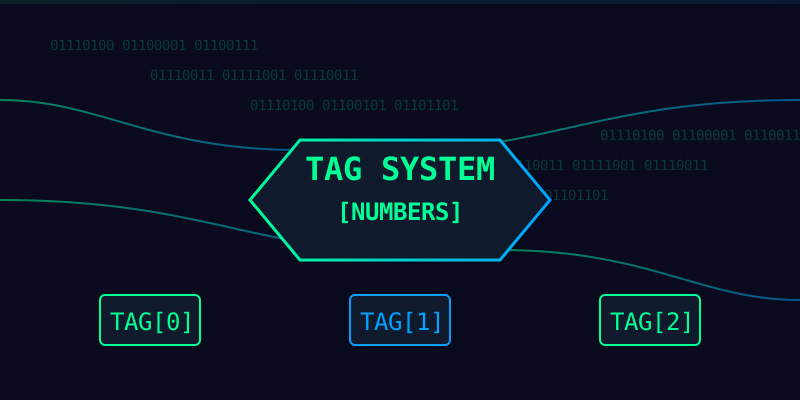
We'll represent numbers using four types of tags:
- Ones place (0-9)
- Tens place (00-90)
- Hundreds place (000-900)
- Thousands place (0000-9000)
For example, the number 1,234 would be represented as:
- thousands_1 (1000)
- hundreds_2 (200)
- tens_3 (30)
- ones_4 (4)
graph TD
    A[Number 1,234] --> B[thousands_1]
    A --> C[hundreds_2]
    A --> D[tens_3]
    A --> E[ones_4]
    B --> F[1000]
    C --> G[200]
    D --> H[30]
    E --> I[4]
    F & G & H & I --> J[Sum = 1,234]
Initial Code Structure
Let's start by setting up our basic structure:
using { /Verse.org/Simulation/Tags }

tag_numbers := module:
    # Base tag class for all our number tags
    number_tag<public> := class(tag){}

    # Tag class for actual digits
    digit_tag<public> := class(number_tag){}
Why This Structure?
module: Creates a namespace for our codenumber_tag: Base class for all number-related tagsdigit_tag: Specific class for digit representation
This hierarchy allows us to:
- Keep our code organized
- Easily check if a tag is number-related
- Add more number types later
Understanding Modules and Namespaces
Think of modules like different folders on your computer. Just as you might have different folders for different types of files, modules help us organize our code into logical groups.
graph LR
    A[tag_numbers module] --> B[number_tag]
    B --> C[digit_tag]
    C --> D[ones_tags]
    C --> E[tens_tags]
    C --> F[hundreds_tags]
    C --> G[thousands_tags]
Why Use Modules?
- Organization: Keep related code together
- Encapsulation: Hide implementation details
- Reusability: Easy to import and use elsewhere
- Maintenance: Easier to update and modify
Basic Tag Implementation
Let's create our first digit tags:
# Ones place tags
ones_0 := class(digit_tag){}
ones_1 := class(digit_tag){}
ones_2 := class(digit_tag){}
# ... continue for 3-9

# Why this way?
# 1. Each number is its own class
# 2. Easy to check for specific numbers
# 3. Clear relationship between tags
Practice Exercise 1
Try creating a simple module with a few number tags:
Exercise Solution
my_numbers := module:
    my_number_tag := class(tag){}

    # Create tags for 1, 2, 3
    number_one := class(my_number_tag){}
    number_two := class(my_number_tag){}
    number_three := class(my_number_tag){}
Related Posts

Create Interactive UI: Verse Fields Events Now Available in UMG
Learn how to create UI widgets that trigger events in Verse using the new Verse fields event type in UMG.
BizaNator
Obs did not shutdown properly?!
Fixing OBS shutdown popup, do you want to run in safe mode, NO I don't want you to ask me again!

BizaNator
Verse Function Renaming: The Art of Clean Code Through Smart Aliases
A comprehensive, humor-filled guide to function renaming in Verse, complete with backward compatibility tricks and practical solutions.